
 Welcome bonusUp to 2 000 AUD + 100 FS
 Welcome bonusUp to 2 000 AUD + 100 FS


Instant
Quick & easy deposits

Up to 60 mins
Avg time for processing withdrawals

24/7
Customer Support

58,687 AUD
Customer Support
Casino



Live Casino


Promotions
Tournament
Golden Entry
Prize Pool
600 AUD real money + 60 FS
Promo
Install the App
What’s offered
20 no-deposit Free Spins

Level system
- Lvl.1/10Crystal0 - 30 CP
Your success starts here! Collect CP, unlock new levels, and get cool benefits for a bright game.
- Lvl.2/10Quartz30 - 110 CP
Just a little more and you can get:
- 5 FS
- 10 FS
- 15 FS
- 16 FS
- 17 FS
- 18 FS
- 19 FS


Lucky Hills Mobile Casino — Play from Your Phone Without an App Store
Lucky Hills runs as a progressive web app (PWA). You open it in a mobile browser rather than downloading anything from the App Store or Google Play. Visit the Lucky Hills website from your phone and the casino loads directly — no search, no install, no waiting. This page explains the format, walks through installation on both platforms and covers what to expect when you first log in.
How the Lucky Hills Mobile Casino Works on Your Device
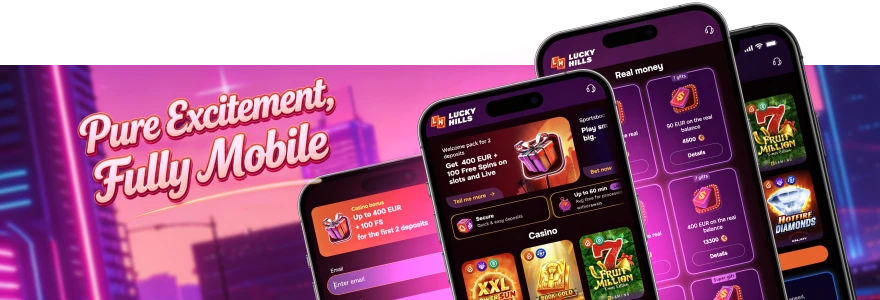
Our mobile format is a PWA. You access it through your phone’s browser, not through an app store. Android and iOS are both supported, covering phones and tablets on either system.
On Android, use Chrome. On iOS, use Safari. Both browsers handle the PWA correctly. You do not need a specific device model — a current browser version is all that matters.
A progressive web app fills your screen and responds to touch. It remembers your session between visits. Unlike a native app, it lives at a URL rather than on your device’s storage. That means no Lucky Hills listing exists in Google Play or the App Store. You do not need one.
The browser-based route and the home-screen shortcut are two different things. You can open the casino directly in your browser at any time. Adding it to your home screen creates a shortcut that launches the casino without typing a URL each visit.
PWA or APK — Which Format Does Lucky Hills Use?
Some people search for a Lucky Hills APK expecting to sideload an Android package. Our mobile format is a PWA, so no APK exists. Sideloading an APK from an unofficial source carries real security risk. The browser route avoids that entirely.
A native app lives on your device’s storage. It updates through an app store. Our PWA lives at a URL. When we push a new version, you reload the page and you are on the latest build. You do not manage updates yourself.
Native apps typically request broader device permissions during installation. Our PWA requests only what the browser itself supports — primarily the notification permission described in the login section below. You get a full-screen experience and a home-screen icon without the wider permission footprint a native app carries.
Adding the Casino LuckyHills Mobile Shortcut to Your Home Screen
Both platforms take under a minute. Chrome and Safari use different menu labels, but the outcome is the same: a home-screen icon that opens the casino directly.
On Android (Chrome)
- Open Chrome on your Android device.
- Go to the Lucky Hills website.
- Tap the three-dot menu in the top-right corner.
- Select Install App from the menu.
- Confirm the install when prompted.
On iOS (Safari)
- Open Safari on your iPhone or iPad.
- Go to the Lucky Hills website.
- Tap the Share button at the bottom of the screen.
- Select Add to Home Screen from the share sheet.
After either process, a Lucky Hills icon appears on your home screen. Tapping it opens the casino in a full-screen view without the browser address bar. Your session and account details carry over exactly as they do on desktop.
Permissions, Login and Reaching Your Account
When you first launch the Lucky Hills PWA, your browser may ask whether to allow push notifications. This is a one-time prompt. Accepting it means we can send you bonus alerts directly to your device. You can decline without affecting your ability to play — notification permission is separate from account access.
Once past that prompt, log in with the same credentials you use on desktop. Our cashier and account area work the same way through the mobile browser. Depositing, withdrawing and checking bonuses all follow the same flow. Fast loading and quick access to bonuses and games come with the home-screen shortcut.
If you forget your password or get locked out, use the account recovery option on the login screen. Our live chat runs 24/7. Reach us directly if self-service recovery does not resolve the issue. VIP members receive priority 24/7 personalised care through a dedicated support channel.
Account Safety and Mobile Troubleshooting
Using the official Lucky Hills URL is the most important step for any PWA user. The casino runs in a browser rather than a vetted app-store listing. A phishing copy is easier to create in that context. Bookmark the correct address after your first visit.
Our licence is issued by Curaçao under number OGL/2024/923/0383. You complete identity verification through Profile → Verification tab. You will need a valid government-issued document — an ID card, passport, residence permit or driver’s licence. The document must be valid for at least one month. You also submit a live selfie that includes a head rotation. If your document has two sides, upload both. All information in the photo must be visible and unobscured.
Controls in place when you use Lucky Hills on mobile:
- Curaçao licence OGL/2024/923/0383 governs our operations.
- You complete KYC through your profile before we process withdrawals.
- Live chat support runs 24/7 for any account or access issue.
- VIP members receive priority 24/7 personalised care through a dedicated channel.
- Bookmarking the official URL protects you from phishing copies.
If the PWA stops loading correctly, remove the home-screen icon and repeat the installation steps above. This prompts the browser to fetch a fresh version of the site. A dropped mobile connection is the most common cause of session interruptions. Try switching between mobile data and Wi-Fi before removing and reinstalling the shortcut.
Frequently Asked Questions
Does Lucky Hills have a dedicated app in the App Store or Google Play?
No. Lucky Hills runs as a PWA, so no listing exists in either store. Open Chrome on Android or Safari on iOS, visit the website directly and the casino loads in your browser.
Can I use Lucky Hills on a tablet as well as a phone?
Yes. Our PWA runs on both Android and iOS, which covers phones and tablets on either system. Use Chrome on an Android tablet or Safari on an iPad and follow the same installation steps above.
Will the Lucky Hills PWA use more mobile data than a regular website?
Our PWA fetches content from the server on each visit rather than storing a full offline copy. Game assets load as you play. Data use is comparable to browsing any media-rich website.
What happens to my account and balance if I delete the home-screen icon?
Deleting the icon removes only the shortcut. Your account, balance and history remain on our servers. Log back in through any browser using your usual credentials and everything is intact.
Can I deposit and withdraw through the mobile version?
Yes. Our cashier is accessible through the mobile browser in the same way it is on desktop. You can deposit, withdraw and manage bonuses without switching to a computer.
Who do I contact if my Lucky Hills mobile session keeps timing out?
Reach our live chat team, available 24/7. If you are a VIP member, priority 24/7 personalised support is available through your dedicated channel. Before contacting us, try removing and reinstalling the home-screen icon — this refreshes the PWA session and resolves most timeout issues.
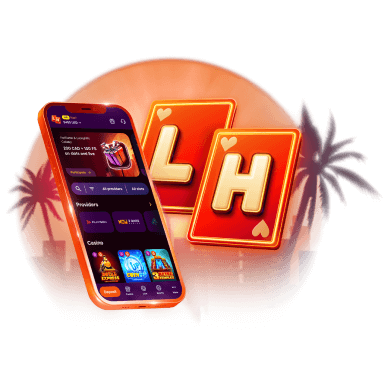
Lucky Hills is always with you!
Install the application and participate in thePlay with the App promo.
We use innovative installation technology directly from the browser. For any operating system.